The Argo CD from the previous post had one user: admin, with its password in argocd-initial-admin-secret. When the whole team shares that password, the UI can't tell you who synced what, and the only way to take someone off the team is to change the password for everyone.
In this post I install ZITADEL on the same cluster and connect Argo CD to it. No Dex: Argo CD speaks OIDC straight to ZITADEL. ZITADEL hands out the roles and Argo CD's RBAC reads them: alice, the platform admin, manages everything; dave, a developer, sees and syncs only the product applications; bob sees everything but gets permission denied (HTTP 403) when he presses sync. Argo CD installs ZITADEL and its Postgres too; on a fresh cluster the 9 Applications are green in 48 seconds.
One thing up front: in this post ZITADEL's Postgres password and masterkey sit in Git as base64 Secrets. On purpose. That's where most teams start, and base64 is not encryption. The next post moves these Secrets into Vault and changes every one of them on the way.
The lab is in argocd-sso-zitadel. The platform side is branch blog-05 of platform-gitops: the previous post's blog-04, plus ZITADEL.
What you need
- The lab from the previous post: Argo CD in HA, Explained by Breaking It. Same kind cluster, same three repos. This lab's Makefile rebuilds that setup with
blog-05; you don't need to run the previous lab first. - 4 CPU / 8 GB for Docker (Colima 0.8, Apple Silicon). ZITADEL and Postgres add about 320 MB next to HA Argo CD (measured working set: ZITADEL 225 MiB, Postgres 97 MiB).
kind,kubectl,helm3.15+,curl,python3.- Versions in this run: argo/argo-cd chart 10.9.2 (Argo CD v3.5.3), zitadel/zitadel chart 10.1.0 (ZITADEL v4.19),
postgres:17-alpine.
Why this way
Direct OIDC, not Dex. Argo CD's chart ships Dex, and Dex exists to turn sources that don't speak OIDC (GitHub, LDAP, SAML) into OIDC. ZITADEL already is an OIDC provider; putting Dex in between means one more pod to keep running and one more config to follow. That's why the previous post had dex.enabled: false.
ZITADEL, not Keycloak. I've run Keycloak in production; it's a CNCF incubating project and mature. ZITADEL is newer, a single Go binary with Postgres as its database, and everything is managed through its API, which is why the setup script in this post is a handful of curl calls. Two notes: ZITADEL is not a CNCF project (it's a product listed in the CNCF landscape), and its license has been AGPL-3.0 since v3.
Argo CD installs ZITADEL too. No helm install. I added two Applications to platform-gitops, and root picks them up from apps/ like in the previous post.
Step 1 — Two Applications: the database first, then ZITADEL
root (Application)
├── platform, products (AppProject, wave -2)
├── argocd (wave -1)
├── applicationsets (wave 0)
├── zitadel-db (wave 1) → zitadel/db: namespace, Secrets, Postgres
└── zitadel    (wave 2) → zitadel/zitadel chart 10.1.0 + zitadel/values.yaml
Why two Applications: the chart's init and setup jobs are Helm pre-install hooks. Argo CD maps Helm hooks to its own PreSync hooks, and those run before every other resource of the same Application. If Postgres and the Secrets were in the same Application as ZITADEL, the init job would try to connect to a database that doesn't exist yet.
There's a second gap: root's sync waves don't wait for Application resources to be healthy (Argo CD has no health check for the Application kind by default). So the zitadel Application has a retry:
# platform-gitops/apps/zitadel.yaml (spec)
spec:
  project: platform
  sources:
    - repoURL: https://charts.zitadel.com
      chart: zitadel
      targetRevision: 10.1.0
      helm:
        releaseName: zitadel
        valueFiles:
          - $values/zitadel/values.yaml
    - repoURL: https://github.com/miraccan00/platform-gitops.git
      targetRevision: blog-05
      ref: values
  syncPolicy:
    automated:
      prune: true
      selfHeal: true
    retry:
      limit: 10
      backoff:
        duration: 10s
        factor: 2
        maxDuration: 3m
This run didn't need the retry: zitadel-db was created at 16:11:09, the init job started at 16:11:16 and Postgres was already up. The retry is for a machine where Postgres comes up slower.
The Secrets aren't inlined in the chart values; the chart points at the Secrets from zitadel-db. masterkeySecretName for the masterkey, an env var for the database connection:
# platform-gitops/zitadel/values.yaml (trimmed)
zitadel:
  masterkeySecretName: zitadel-masterkey
envVarsSecret: zitadel-db          # ZITADEL_DATABASE_POSTGRES_DSN
# platform-gitops/zitadel/db/secrets.yaml (top)
# ON PURPOSE, the state most teams start from: Secrets in Git, base64 only.
# base64 is encoding, not encryption: anyone who can read this repo can read these values.
make up && make argocd && make bootstrap
NAME                       SYNC STATUS   HEALTH STATUS
applicationsets            Synced        Healthy
argocd                     Synced        Healthy
ns-product-helloapi-dev    Synced        Healthy
ns-product-helloapi-prod   Synced        Healthy
product-helloapi-dev       Synced        Healthy
product-helloapi-prod      Synced        Healthy
root                       Synced        Healthy
zitadel                    Synced        Healthy
zitadel-db                 Synced        Healthy
all 9 Synced/Healthy in 48s
Step 2 — One name, two different worlds
In OIDC every token carries an issuer, and Argo CD accepts a token only if that issuer is exactly the address it knows. Two parties use that address:
- The browser goes to ZITADEL's login page. In the lab, ZITADEL is reached through a port-forward, so on 127.0.0.1.
- The
argocd-serverpod reads ZITADEL's keys and token endpoint from the same address. For a pod, 127.0.0.1 is the pod itself.
The fix: both sides use the same name, and the name resolves to a different place on each side.
# platform-gitops/zitadel/values.yaml
zitadel:
  configmapConfig:
    ExternalDomain: zitadel.127.0.0.1.nip.io
    ExternalPort: 8081
    ExternalSecure: false          # lab: plain HTTP behind a port-forward; production terminates TLS
service:
  port: 8081                       # same port inside and outside, so the issuer URL matches
nip.io is a public DNS service that resolves any name containing an IP to that IP. For the browser, zitadel.127.0.0.1.nip.io = 127.0.0.1 = the port-forward from make zitadel-ui. For pods, I add a CoreDNS rule:
rewrite name exact zitadel.127.0.0.1.nip.io zitadel.zitadel.svc.cluster.local answer auto
$ make dns
rewrite added: zitadel.127.0.0.1.nip.io -> zitadel.zitadel.svc.cluster.local
issuer seen from a pod: http://zitadel.127.0.0.1.nip.io:8081
This part is pure lab plumbing. In production ZITADEL has a real DNS name and a TLS certificate, and nobody touches CoreDNS. I got it wrong twice before getting here; both are in What went wrong.
Step 3 — The ZITADEL side: project, roles, app and the groups claim
On first start ZITADEL creates a machine user and writes its PAT (personal access token) to the Secret zitadel/iam-admin-pat. scripts/zitadel-setup.sh calls ZITADEL's API with that token:
- An
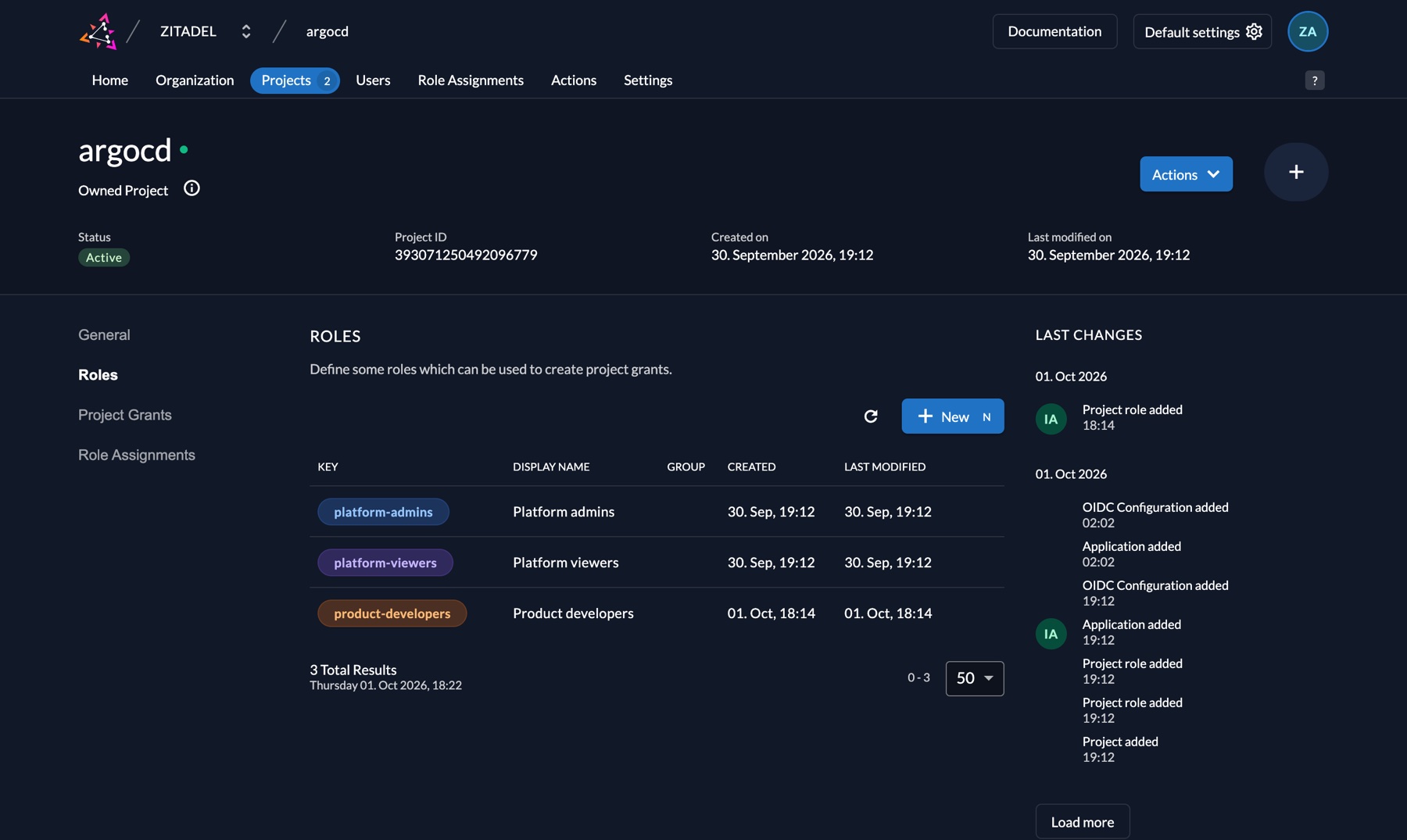
argocdproject with three roles:platform-admins,product-developers,platform-viewers. The project has "put roles in the token" (projectRoleAssertion) and "no role, no login" (projectRoleCheck) turned on. - An OIDC web app for the Argo CD UI. Redirect URI
http://localhost:8080/auth/callback.devMode: true, only for the lab'shttp://address. - A second, public app (no secret) for the
argocdCLI: PKCE andhttp://localhost:8085/auth/callback. Why it has to be separate is in What went wrong #5. - The
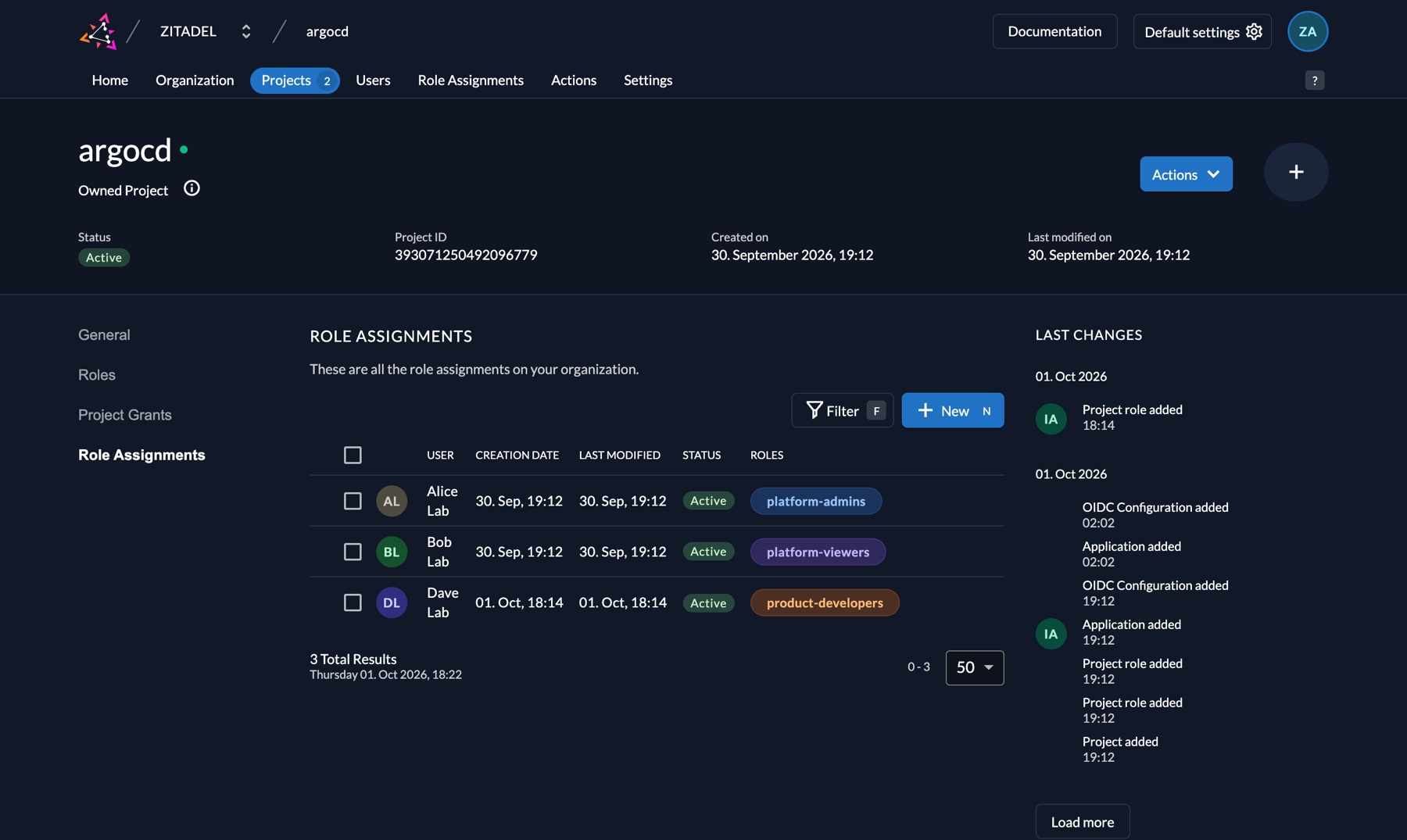
groupsClaimAction (below). alice→platform-admins,dave→product-developers,bob→platform-viewers.- Write the client IDs and the secret that ZITADEL generated to the Secret
argocd/argocd-oidc-zitadel, where Argo CD reads them.
$ make setup
project argocd: 393071250492096779
app argocd: client 393071251062587659, secret written to argocd/argocd-oidc-zitadel
app argocd-cli: client 393112607218729227 (public, PKCE), written to argocd/argocd-oidc-zitadel as cliClientID
action groupsClaim: 393071252287258891
user alice (platform-admins): 393071252874461451
user dave (product-developers): 393210437681807618
user bob (platform-viewers): 393071254921281803
The script is safe to re-run; it looks existing objects up by name and reuses them.
In the UI: with make zitadel-ui running, open http://zitadel.127.0.0.1.nip.io:8081/ui/console and log in as [email protected] / Password1!. Projects → argocd → Roles:
Role Assignments in the same project shows who got which role:
Why the groups claim is its own job. ZITADEL puts roles into the token, but not as groups. It puts them in a claim named urn:zitadel:iam:org:project:roles, one object per role. Argo CD's RBAC expects a list. A ZITADEL Action does the translation, the way Argo CD's own docs describe:
function groupsClaim(ctx, api) {
  if (ctx.v1.user.grants === undefined || ctx.v1.user.grants.count == 0) { return; }
  let groups = [];
  ctx.v1.user.grants.grants.forEach(g => { g.roles.forEach(r => { groups.push(r); }); });
  api.v1.claims.setClaim("groups", groups);
}
The Action is attached to the "Complement Token" flow, on "Pre Userinfo creation" and "Pre access token creation". It shows up on the Actions page:
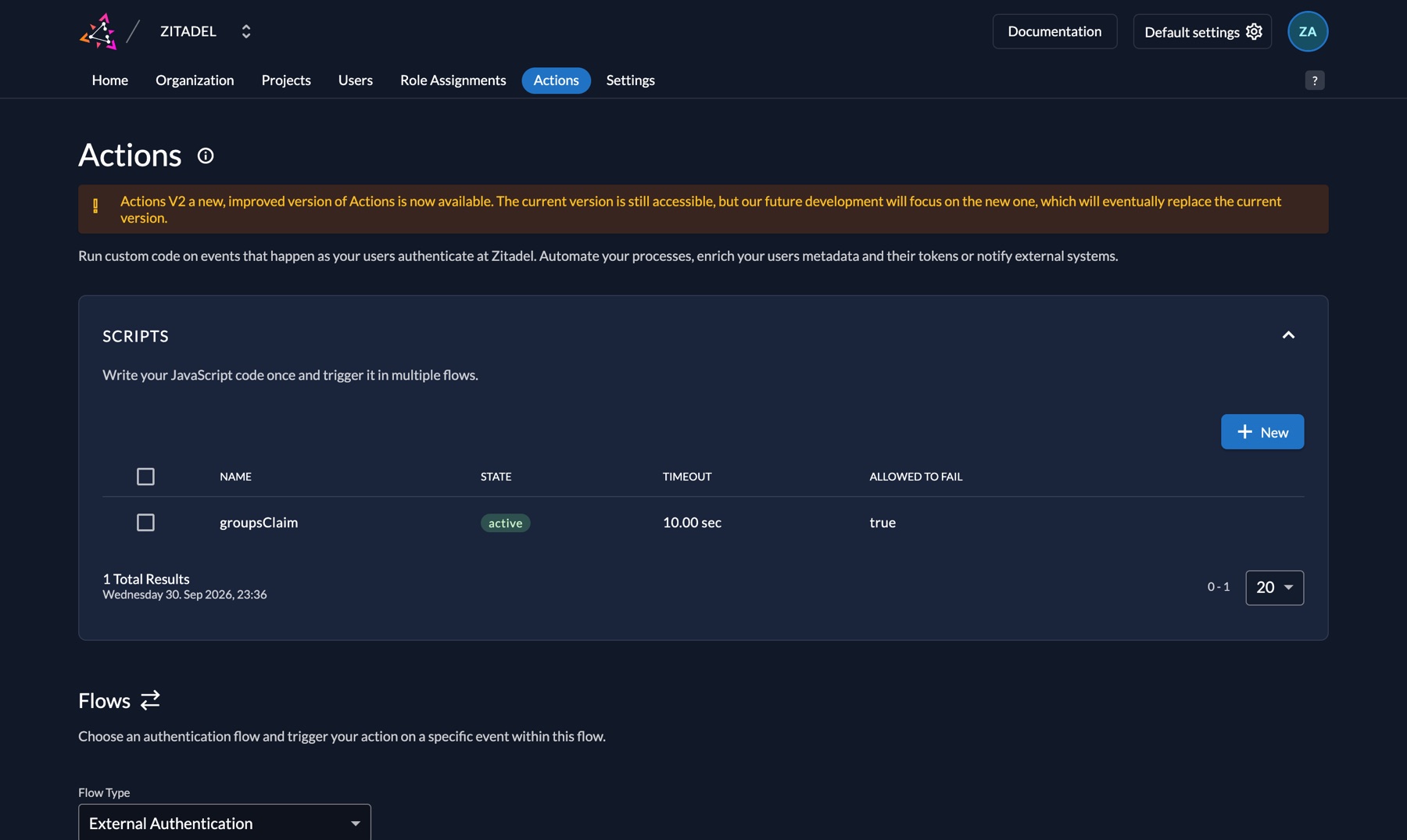
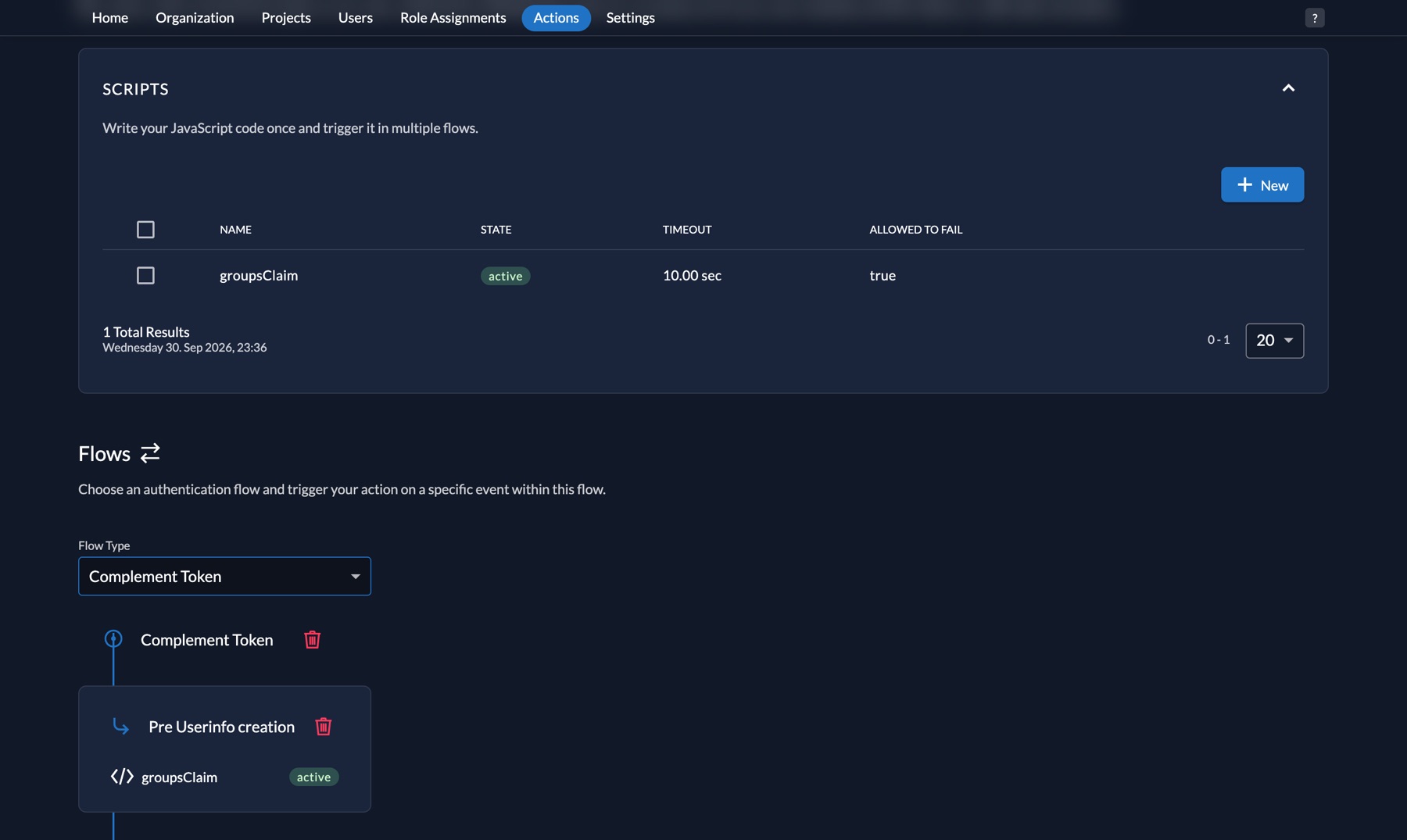
Don't skip the banner at the top: this is Actions v1. It works in ZITADEL v4, but it's deprecated and goes away in v5. The v2 equivalent is an external HTTP service that ZITADEL calls before it issues a token. In production you'll have to write that service, or wait for Argo CD to read ZITADEL's own roles claim.
Step 4 — The Argo CD side: oidc.config and RBAC
All of it is in the values file from the previous post, where both helm install and the argocd Application read it. Argo CD keeps its settings in separate ConfigMaps and the argo/argo-cd chart renders them from values: configs.cm → argocd-cm, configs.rbac → argocd-rbac-cm. So SSO and roles change through a PR to this file, not kubectl edit:
# platform-gitops/argocd/values-ha.yaml (added in blog-05)
configs:
  cm:
    url: http://localhost:8080
    oidc.config: |
      name: ZITADEL
      issuer: http://zitadel.127.0.0.1.nip.io:8081
      clientID: $argocd-oidc-zitadel:clientID
      clientSecret: $argocd-oidc-zitadel:clientSecret
      cliClientID: $argocd-oidc-zitadel:cliClientID
      requestedScopes:
        - openid
        - profile
        - email
        - groups
      logoutURL: http://zitadel.127.0.0.1.nip.io:8081/oidc/v1/end_session
  rbac:
    policy.default: ""
    scopes: "[groups]"
    policy.csv: |
      p, role:developer, applications, get,      products/*, allow
      p, role:developer, applications, sync,     products/*, allow
      p, role:developer, applications, action/*, products/*, allow
      p, role:developer, logs,         get,      products/*, allow
      p, role:developer, projects,     get,      products,   allow
      g, platform-admins,    role:admin
      g, product-developers, role:developer
      g, platform-viewers,   role:readonly
helm template shows what the chart makes of it; policy.csv goes into argocd-rbac-cm as is:
helm template argocd argo/argo-cd --version 10.9.2 -n argocd -f argocd/values-ha.yaml \
  --show-only templates/argocd-configs/argocd-rbac-cm.yaml
The lines worth explaining:
clientID: $argocd-oidc-zitadel:clientID. ZITADEL generates the client ID and secret when the app is created; they can't be written to Git upfront. The$secret:keysyntax reads the value from that Secret. Argo CD only resolves the reference in Secrets labeledapp.kubernetes.io/part-of: argocd. It's the same label whose removal took Argo CD down in the previous post; the script creates the Secret with it.cliClientID. Argo CD hands this ID to the CLI, so the CLI logs in with the second, secret-less app instead of the UI's.url: http://localhost:8080. Argo CD sends<url>/auth/callbackto ZITADEL as the redirect URI. If it doesn't match the registered one exactly, ZITADEL rejects the login.g, <group>, <role>.<group>is an entry of the token'sgroupsclaim, i.e. the role key in ZITADEL.role:adminandrole:readonlyare Argo CD's built-in roles.p, role:developer, .... The one role that isn't built in, defined withplines:p, <role>, <resource>, <action>, <project>/<app>, allow. A developer sees, syncs and reads the logs of applications in theproductsproject, and can run resource actions (a Deployment restart, for example). Nocreate,updateordelete: they can't change the app's definition, only run what Git says. There's no line for theplatformproject (Argo CD itself, ZITADEL), so those apps don't even show up in the list.policy.default: "". Without a role, nobody sees anything. The localadminisn't disabled: it's the way into Argo CD when ZITADEL is down, and its password is still inargocd-initial-admin-secret.
Step 5 — Three users, three permissions
make zitadel-ui   # own terminal
make ui           # own terminal: http://localhost:8080
make users
# alice / Password1!  -> group platform-admins    -> role:admin
# dave  / Password1!  -> group product-developers -> role:developer
# bob   / Password1!  -> group platform-viewers   -> role:readonly
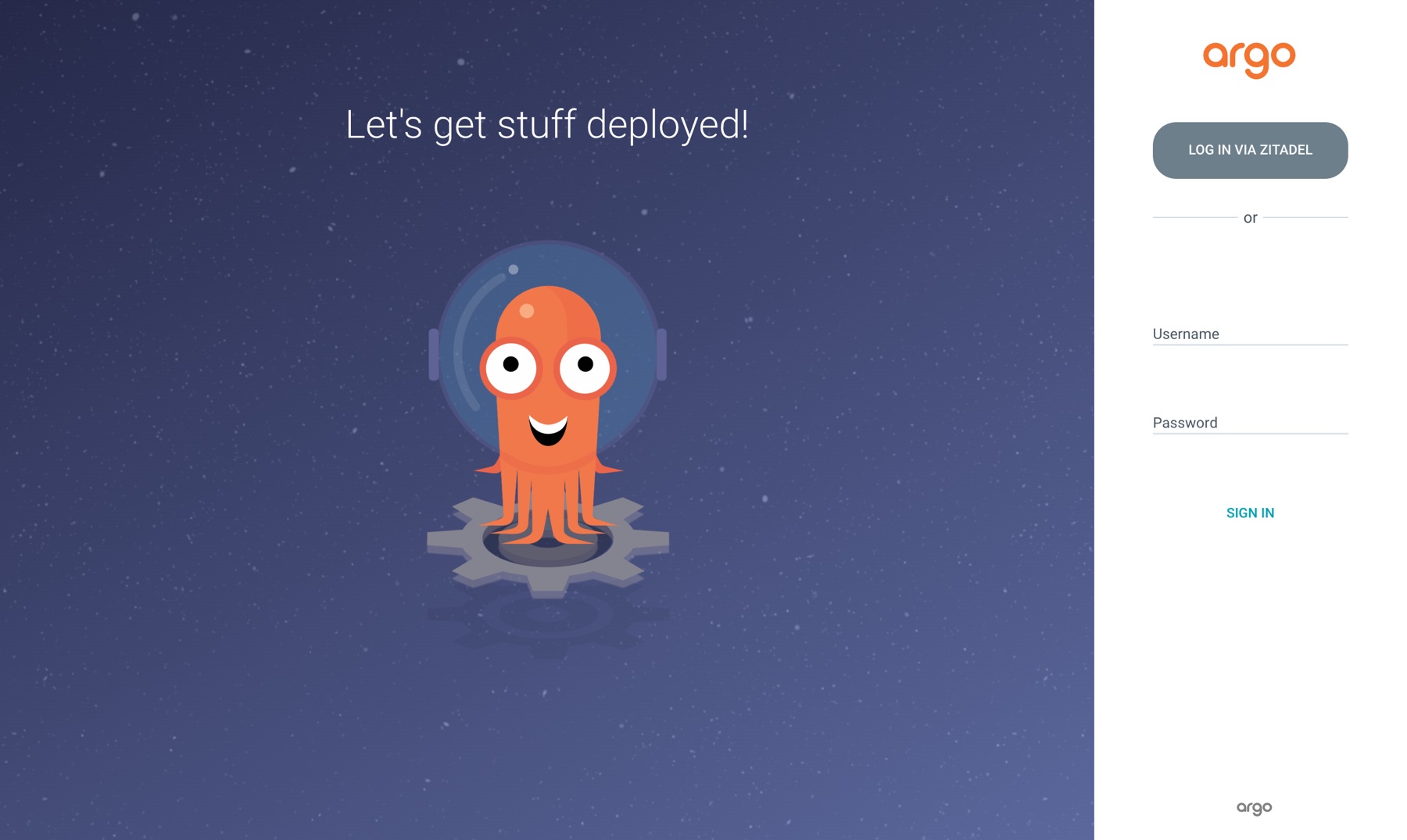
In the UI: http://localhost:8080 → LOG IN VIA ZITADEL. The browser goes to ZITADEL's login page; first the username, then the password:
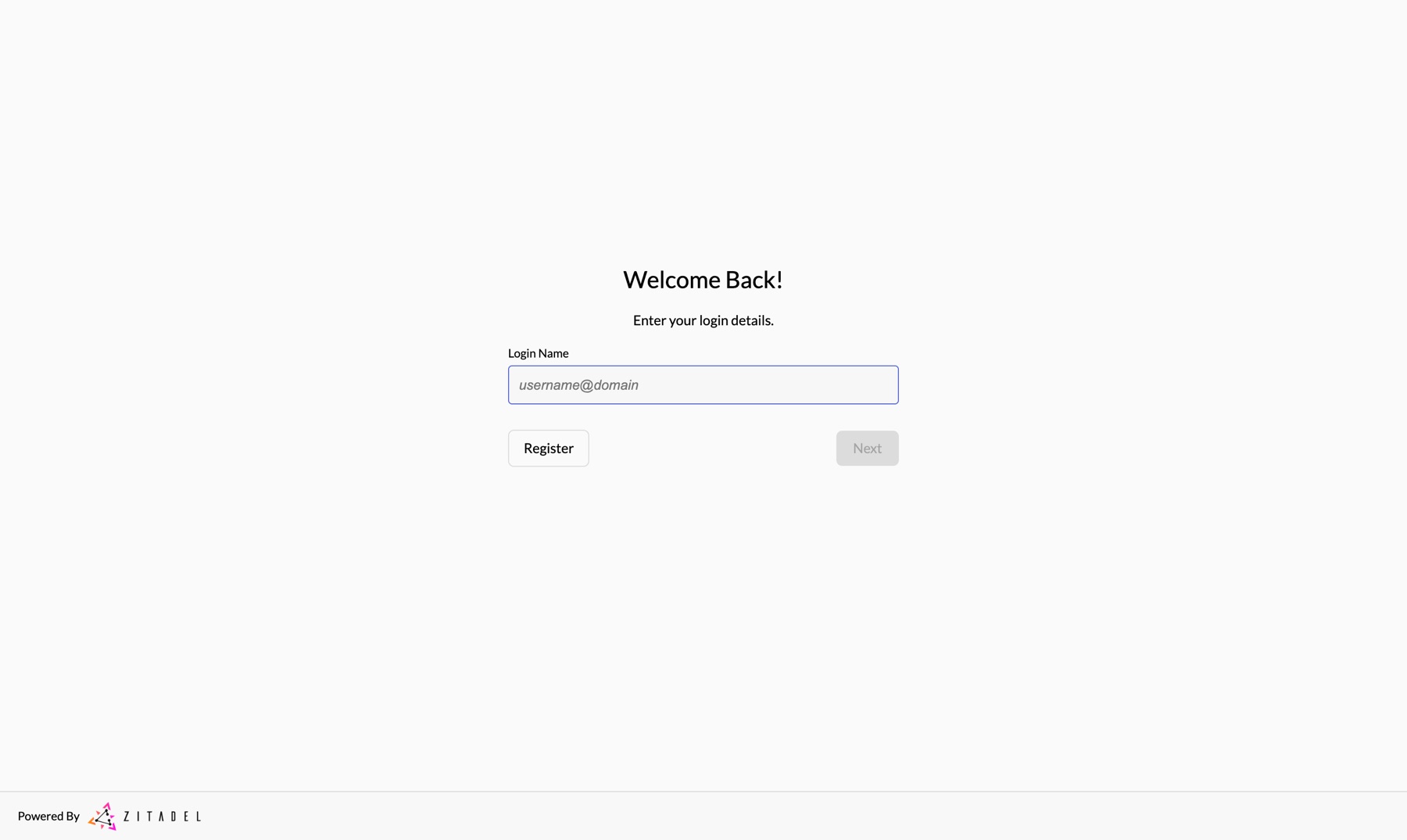
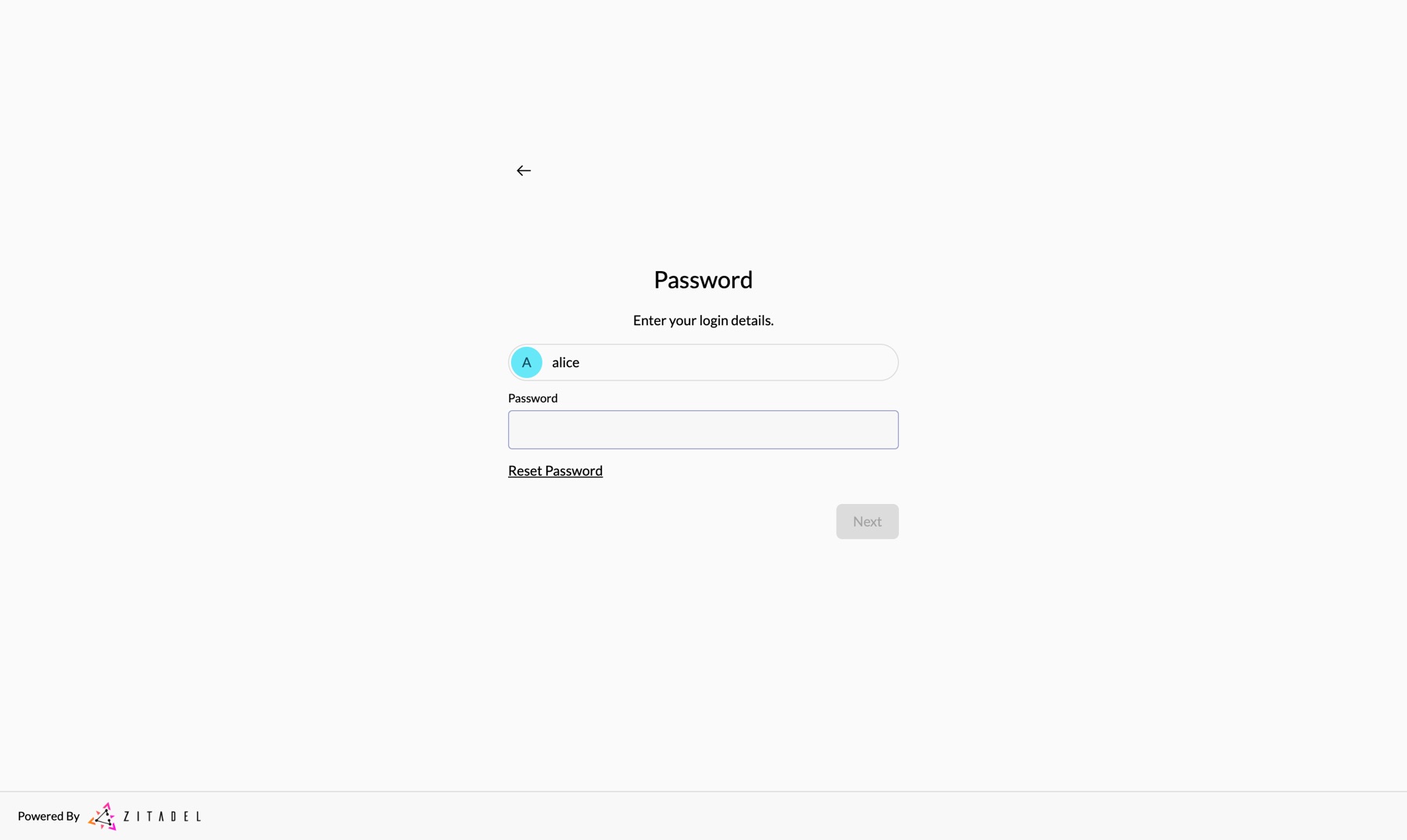
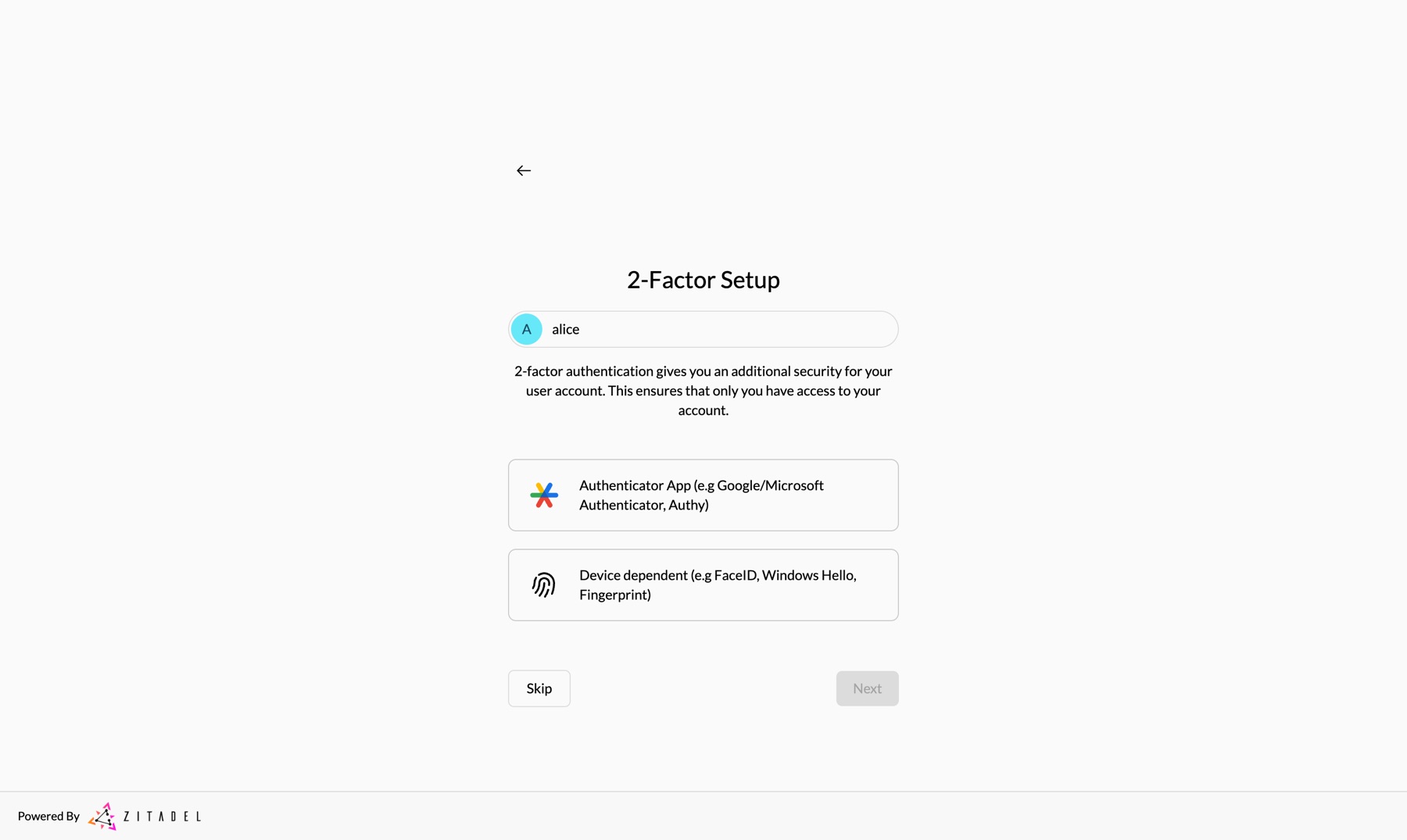
On first login ZITADEL offers to set up two-factor authentication. Skip in the lab; in production you'd make this screen mandatory.
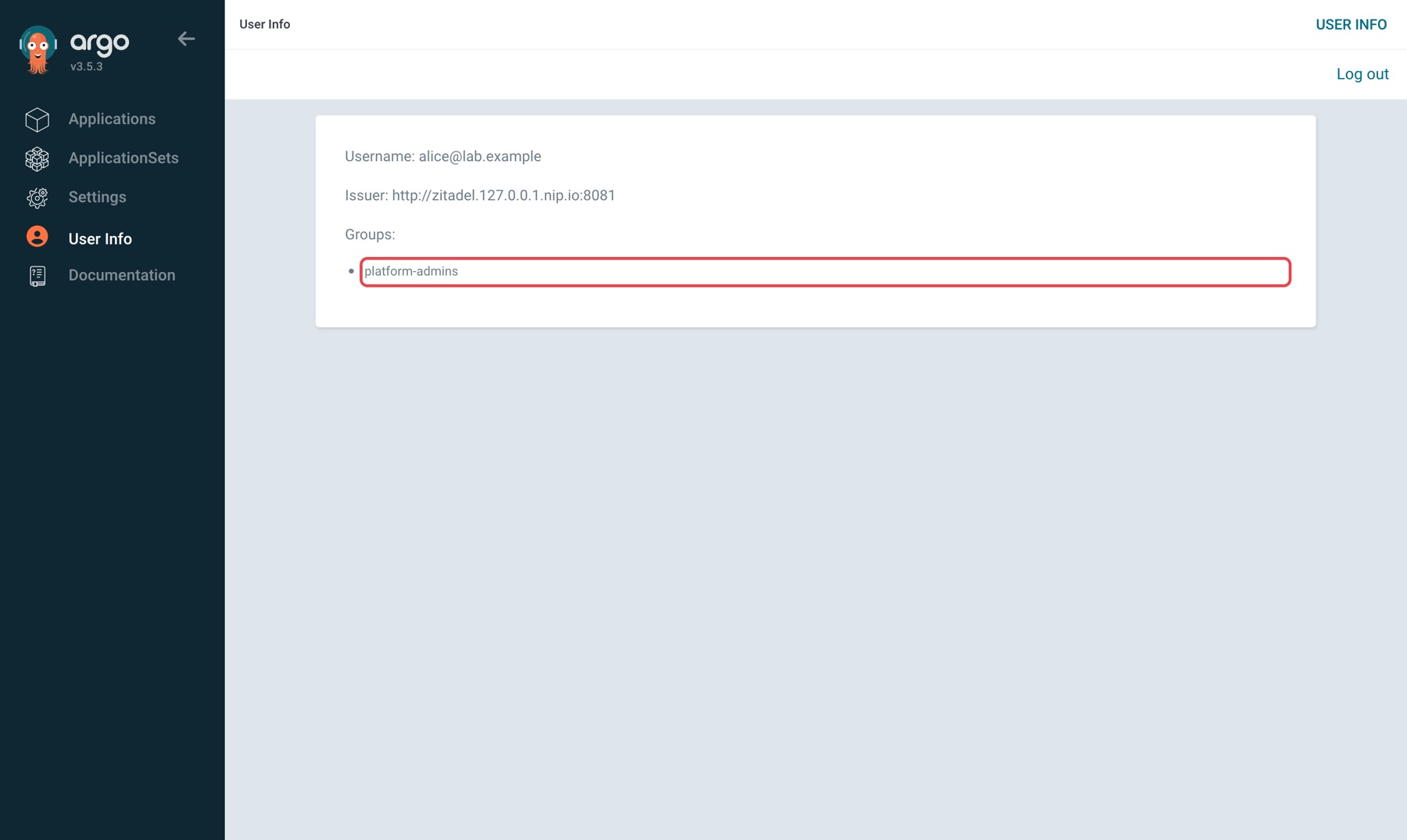
Back in Argo CD, User Info in the left menu shows what Argo CD read from the token. For alice the group is platform-admins and the issuer is the address from Step 2:
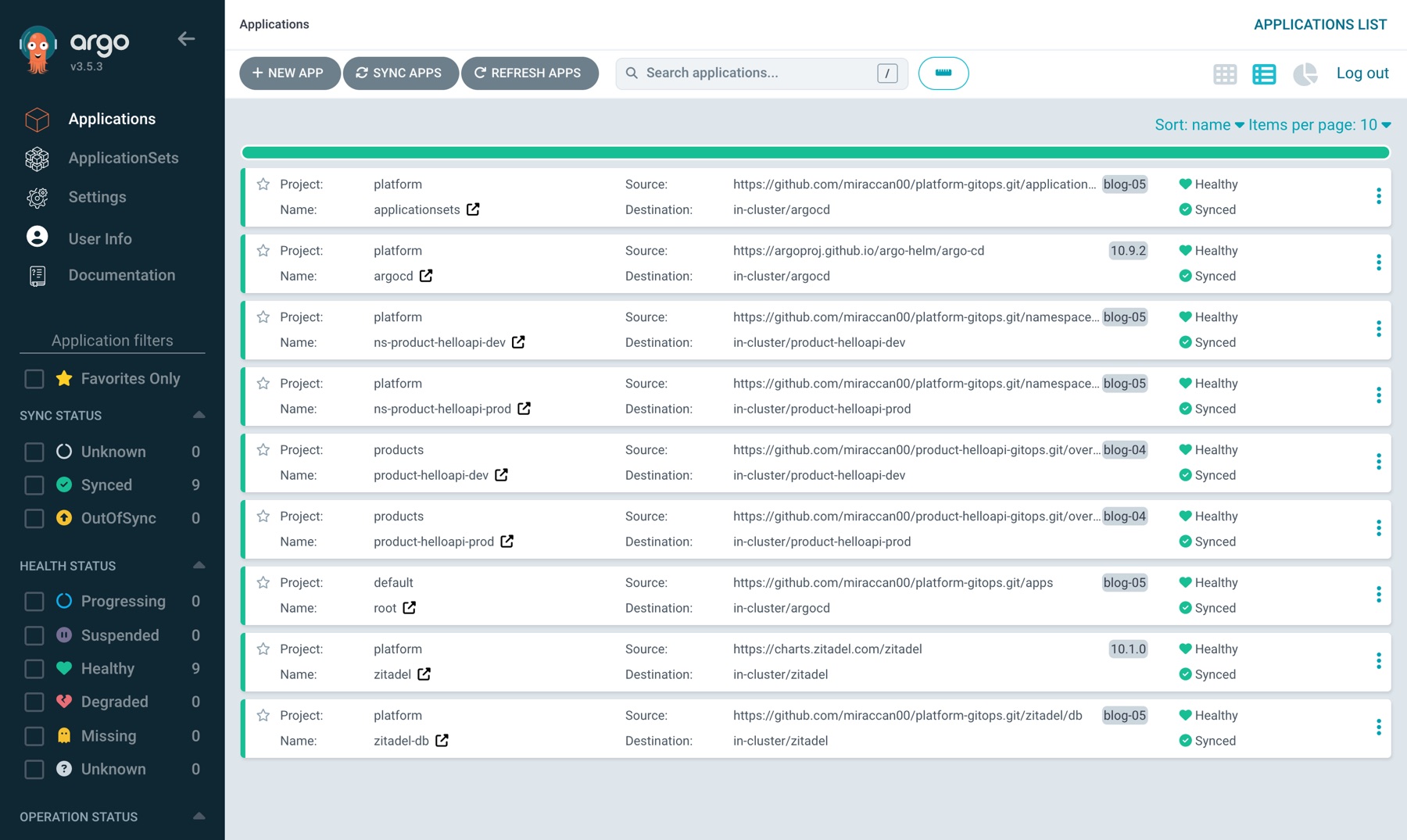
alice sees all nine Applications and can manage all of them:
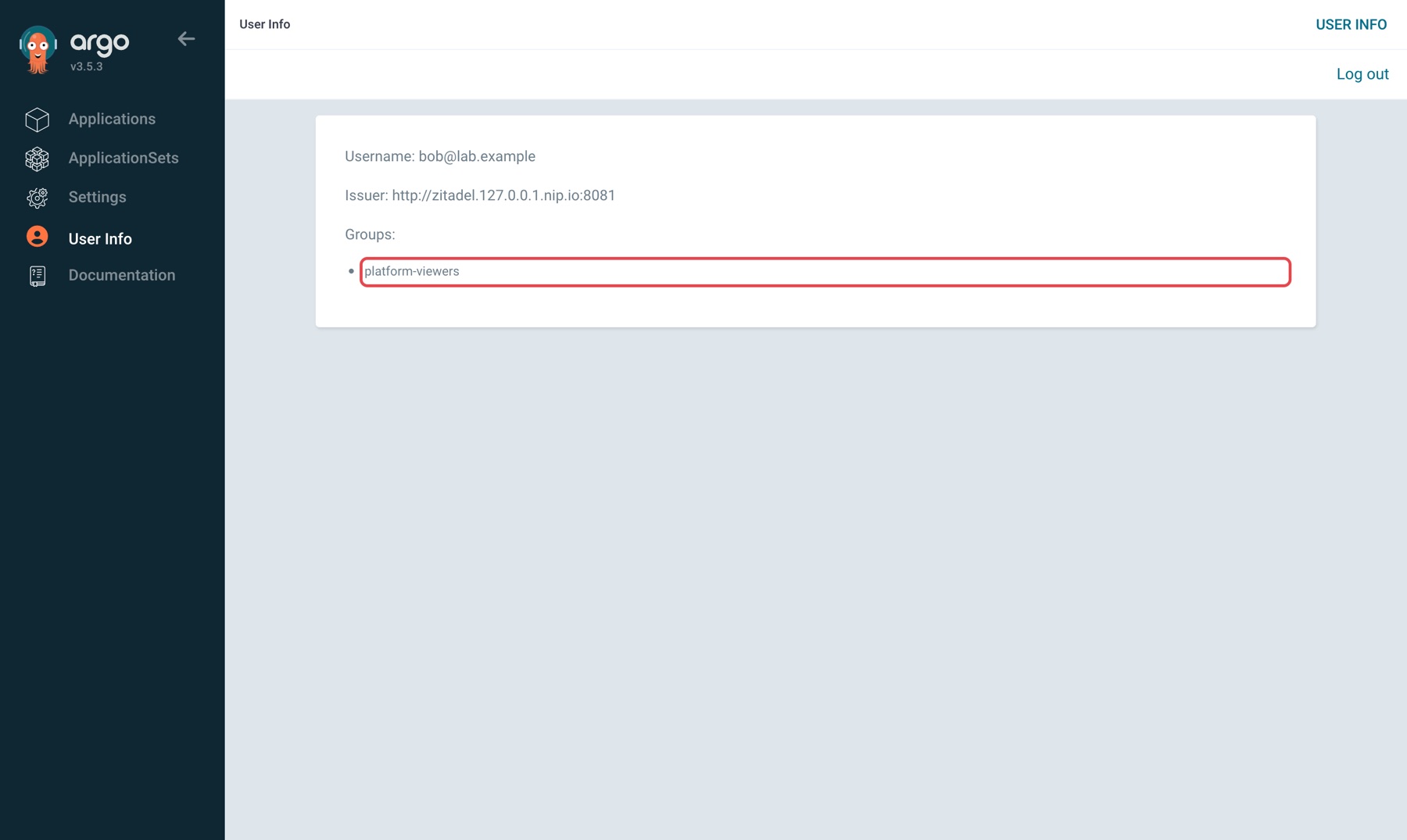
Log out and log in as bob. The group is platform-viewers:
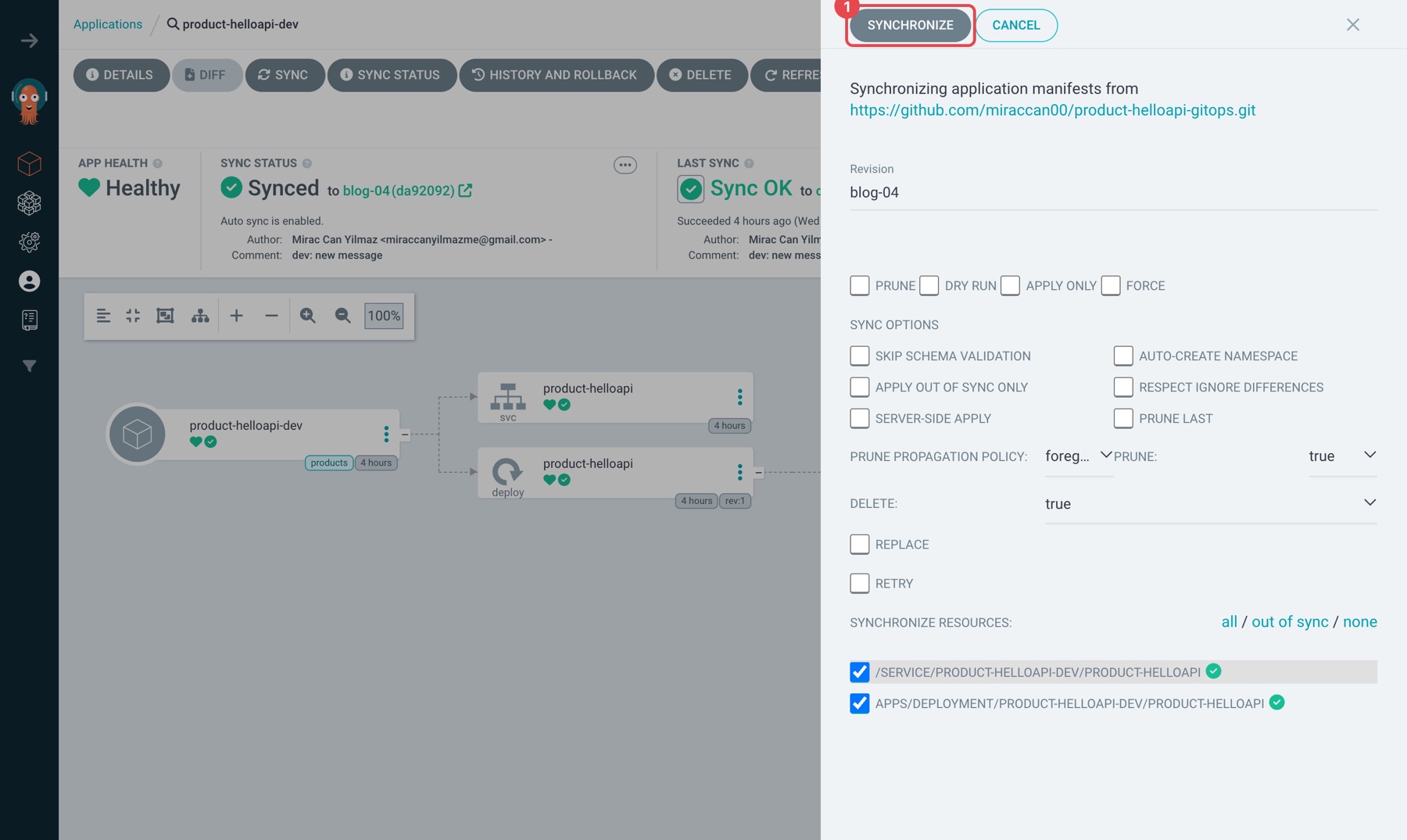
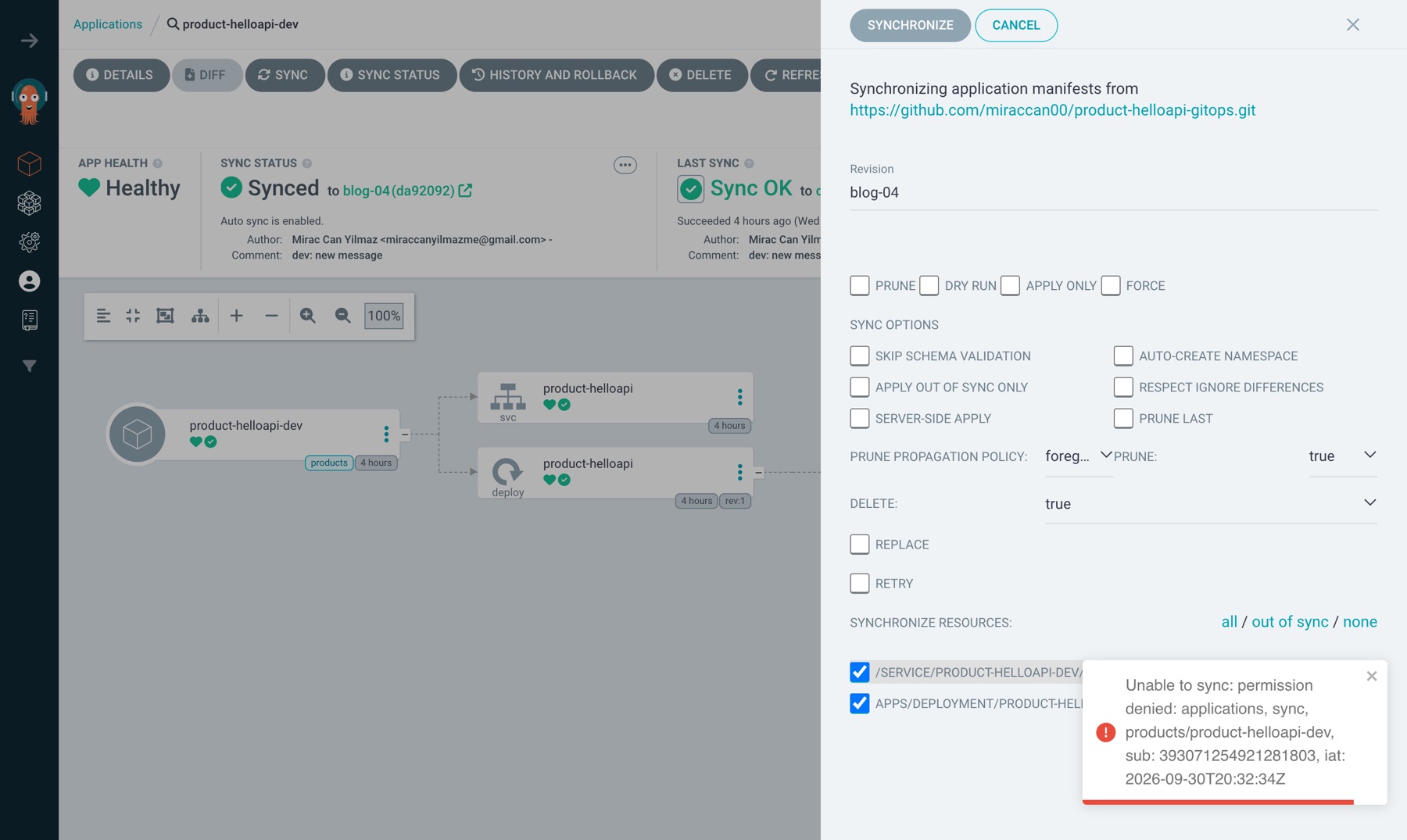
bob sees the nine Applications too (role:readonly). product-helloapi-dev → SYNC → SYNCHRONIZE (1):
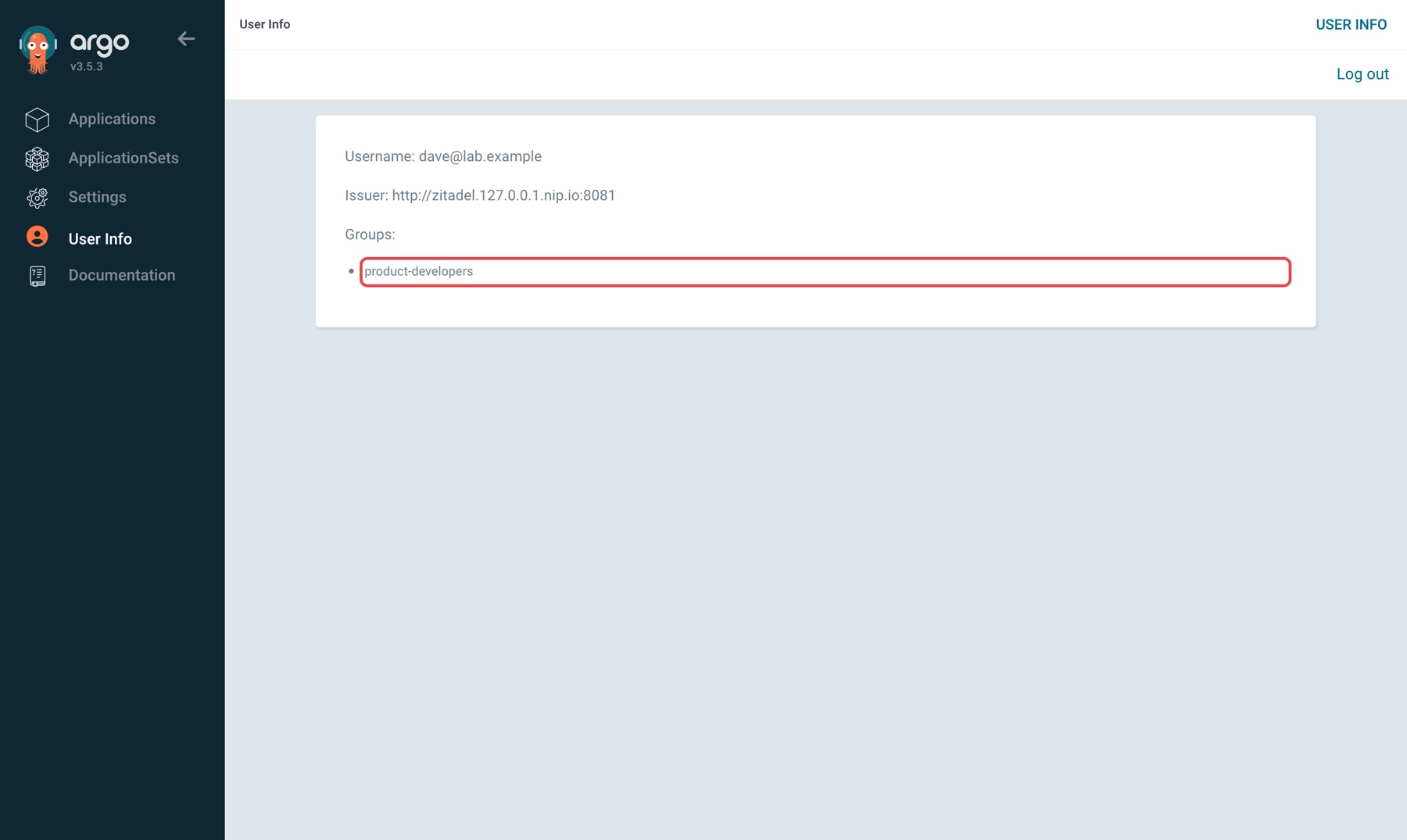
Log out and log in as dave. The group is product-developers:
dave sees only two applications, both in the products project. Platform apps like argocd, zitadel and root don't exist for him:
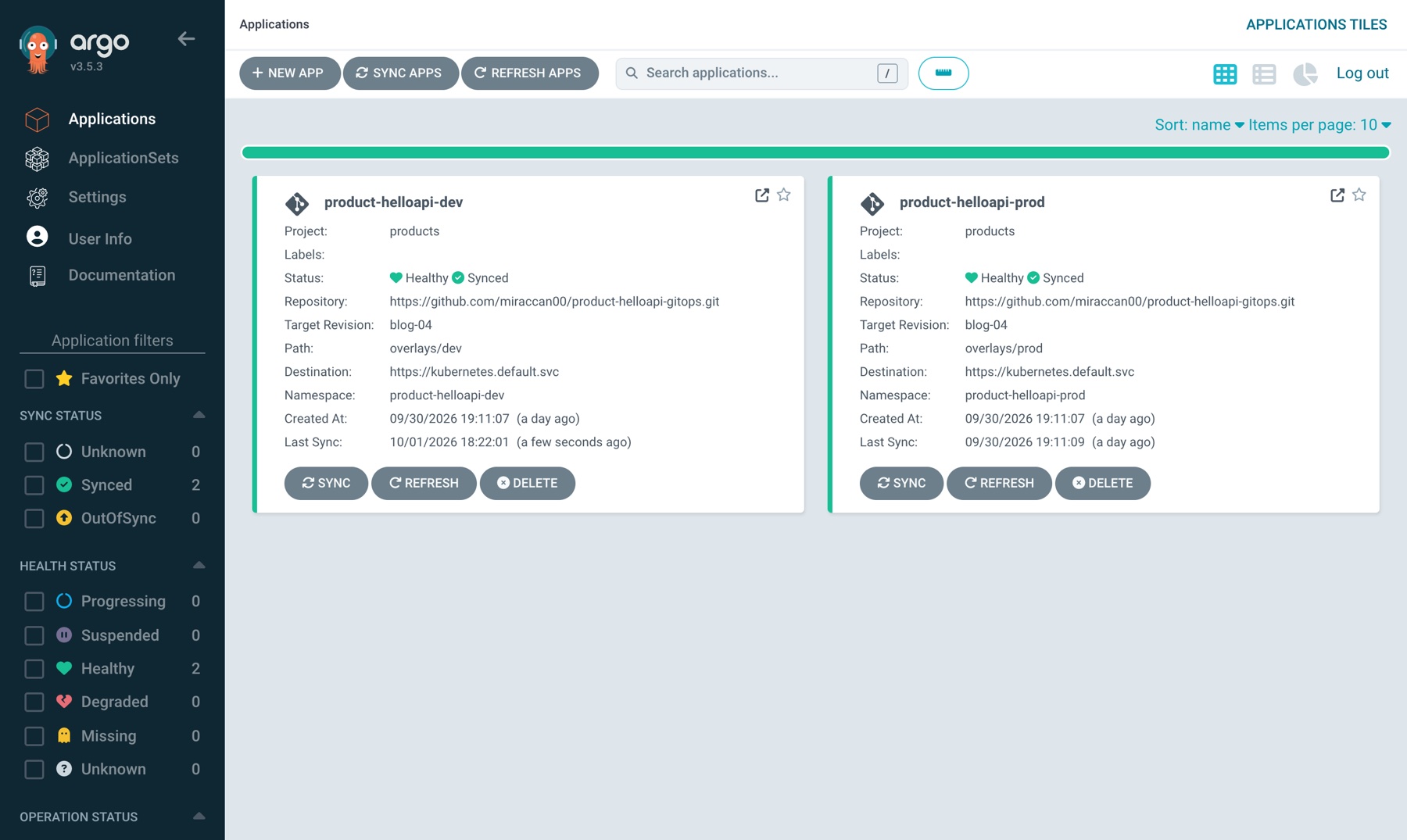
SYNC → SYNCHRONIZE on product-helloapi-dev works for dave; it's the button that denied bob.
The same attempt through the API, for all three users:
| User | Group | can-i sync '*/*' |
can-i sync 'products/*' |
POST .../product-helloapi-dev/sync |
POST .../zitadel/sync |
|---|---|---|---|---|---|
| alice | platform-admins |
yes | yes | 200 | 200 |
| dave | product-developers |
no | yes | 200 | 403 permission denied |
| bob | platform-viewers |
no | no | 403 permission denied: applications, sync, products/product-helloapi-dev |
403 |
dave's can-i sync '*/*' is no because */* covers the platform apps too. His 403 on zitadel has no app name in it, unlike bob's: dave can't see that app, so Argo CD doesn't confirm it exists. can-i delete applications 'products/*' is no for dave as well.
The same from the CLI. make cli opens the ZITADEL login in the browser and returns to the terminal when it's done:
$ make cli
'[email protected]' logged in successfully
$ argocd account get-user-info --port-forward --port-forward-namespace argocd --plaintext
Logged In: true
Username: [email protected]
Issuer: http://zitadel.127.0.0.1.nip.io:8081
Groups: platform-admins
$ argocd account can-i sync applications '*/*' --port-forward --port-forward-namespace argocd --plaintext
yes
As dave, can-i sync applications 'products/*' → yes, '*/*' → no. The same commands as bob: Groups: platform-viewers, can-i → no, argocd app sync product-helloapi-dev → PermissionDenied: permission denied: applications, sync, products/product-helloapi-dev.
The denial comes from Argo CD, not ZITADEL. ZITADEL only says "this is bob, his group is platform-viewers"; policy.csv decides what he can do. Giving someone access now means assigning a role in ZITADEL, not editing Argo CD.
What went wrong
1. zitadel.localhost leads a pod back to itself. My first name was zitadel.localhost. Browsers and curl resolve *.localhost to 127.0.0.1 without asking DNS, so the host side worked: curl http://zitadel.localhost:8081/.well-known/openid-configuration returned the right issuer. After adding the CoreDNS rewrite I checked from a pod:
$ kubectl -n argocd exec <argocd-server> -- getent hosts zitadel.localhost
::1             zitadel.localhost
The rule never kicked in: .localhost is a special-use name (RFC 6761), and the resolver in the pod also answers it with loopback without asking DNS. I switched the name to nip.io.
2. Without answer auto the rewrite does nothing. My first rule with nip.io was rewrite name zitadel.127.0.0.1.nip.io zitadel.zitadel.svc.cluster.local. The pod still saw 127.0.0.1. CoreDNS changes the name in the query and returns the answer under the new name, zitadel.zitadel.svc.cluster.local. The client drops an answer that doesn't match the name it asked for and falls back to public DNS's 127.0.0.1. answer auto rewrites the name in the answer back as well:
$ kubectl -n argocd exec <argocd-server> -- getent hosts zitadel.127.0.0.1.nip.io
10.96.173.255   zitadel.127.0.0.1.nip.io
3. ZITADEL v4 sends the login to another app. Clicking "Log in via ZITADEL" took the browser to /ui/v2/login/login?authRequest=V2_..., which said:
{"code":5,"message":"Not Found"}
In v4, new instances use Login v2 by default. Login v2 is a separate app (zitadel-login, port 3000) and needs path-based routing on the same host as ZITADEL, in other words an ingress. The chart installs it; I had turned it off with login.enabled: false, because a single port-forward can't put two services behind one address. For the lab I switched on ZITADEL's built-in login:
zitadel:
  configmapConfig:
    DefaultInstance:
      Features:
        LoginV2:
          Required: false
That setting only applies to new instances. On a running instance, PUT /v2/features/instance with {"loginV2":{"required":false}} did the same. In production the right answer is Login v2 behind an ingress or a Gateway. Like Actions v1, this is the old path, used on purpose in the lab.
4. can-i wasn't answering the question I asked. Checking RBAC through the API, /api/v1/account/can-i/applications/sync/* returned no for alice too, even though she's an admin. Application permissions have the form project/application, so it's */*, not * (/api/v1/account/can-i/applications/sync/*%2F*). Asked that way, alice gets yes and bob gets no.
5. The CLI login got stuck in two places. argocd login localhost:8080 --sso --plaintext waited without printing anything, then died with gRPC connection not ready: context deadline exceeded. Logging in with the admin password did the same, so SSO wasn't the problem. The log of make ui showed why:
error forwarding port 8080 to pod ...: read: connection reset by peer
error: lost connection to pod
When one of the CLI's connections is reset, kubectl port-forward doesn't just drop that connection, it exits; the CLI's next request hits a closed port. The browser doesn't notice, because the make ui loop reopens the port-forward within a second. (On my machine another process also held 127.0.0.1:8080, so the port-forward had only bound [::1]:8080; lsof -iTCP:8080 -sTCP:LISTEN is worth a look.) The fix is the CLI's own port-forward: argocd login --port-forward --port-forward-namespace argocd. make cli uses it.
Past the port, the second error came. The login page opened, the password was accepted, and on the way back:
oauth2: "invalid_client" "empty client secret"
The CLI is a public client: it can't keep a secret on a laptop, so it logs in with PKCE. But Argo CD was handing it the UI app's ID, and that app is confidential (it has a secret). Argo CD has a separate setting for this, cliClientID: I created a second ZITADEL app with auth method NONE and gave Argo CD its ID. After that alice and bob logged in from the CLI, with the same permissions as in the UI.
Verify
make status                                        # 9 Applications Synced/Healthy, zitadel and postgres pods Running
kubectl -n argocd get secret argocd-oidc-zitadel --show-labels   # app.kubernetes.io/part-of=argocd
curl -s http://zitadel.127.0.0.1.nip.io:8081/.well-known/openid-configuration | python3 -m json.tool | grep issuer
make dns                                           # "issuer seen from a pod" must print the same address
make cli                                           # ZITADEL login in the browser, then:
argocd account can-i sync applications '*/*' --port-forward --port-forward-namespace argocd --plaintext   # alice: yes, dave: no, bob: no
argocd account can-i sync applications 'products/*' --port-forward --port-forward-namespace argocd --plaintext   # dave: yes
In the UI:
- User Info: issuer
http://zitadel.127.0.0.1.nip.io:8081, groupplatform-admins,product-developersorplatform-viewers. - As dave, the Applications list: only
product-helloapi-devandproduct-helloapi-prod; SYNC works on both. - As bob, SYNC on an application →
permission denied. - In the ZITADEL console, Role Assignments: change a role, log out and back in, and the group in User Info changes.
Sources: Argo CD docs User Management → Zitadel and RBAC Configuration, argo/argo-cd chart 10.9.2 values (configs.cm, configs.rbac), ZITADEL docs Migrate from Actions V1 to V2 and v4.19.3 cmd/defaults.yaml (DefaultInstance.Features.LoginV2), zitadel/zitadel chart 10.1.0 values, the CoreDNS rewrite plugin.
What changed after this post
| Before | After |
|---|---|
Everyone is admin |
Everyone logs in as themselves; you can see who did what |
| Removing someone = changing the password for everyone | Remove the user or the role in ZITADEL |
| Permissions not tied to people in Argo CD | Permissions from ZITADEL roles: platform-admins → admin, product-developers → developer in the products project only, platform-viewers → readonly |
| — | admin stays as break-glass |
| Secrets in Git as base64 | Still. That's the next post |
In this series
Previous: Argo CD in HA, Explained by Breaking It · Next: Moving Secrets into Vault: From base64 in Git to Vault and ESO Without Downtime. We take the Postgres password and the masterkey this post left in Git, move them into Vault, change them on the way, and do it without taking ZITADEL down.
The code for this post: https://github.com/miraccan00/blog-wiki/tree/main/argocd-sso-zitadel